Worlds you can play right now
An OC maker is any tool that helps you create an original character: picture-based makers like Picrew and Charat build the look from pre-drawn parts, while text and AI OC generators like Perchance build the name, personality and backstory. Most people use one of each, then fill in a template so the character holds together.
This guide covers the visual makers worth using, the text generators, a complete OC template you can paste into Google Docs, Discord or Tumblr, and the step most guides skip: giving your OC somewhere to live. Full disclosure: we build WorldOS, where you can turn an OC into a character you chat with or play as, so that section is about our own product.
What an OC is, and what an OC maker actually does
OC stands for original character: a character you invented, as opposed to one from an existing series. An OC can live in a world you made up or in someone else's; a fan OC in a Genshin, Jujutsu Kaisen or Harry Potter setting is still an OC. Anime-style OCs are the most common, because the art style is easy to read and the archetypes are well known.
- Visual OC makers give you a face and an outfit. You pick the parts; the artist's drawing does the rest.
- Text OC generators give you a starting identity: name, age, role, personality, a hook.
- AI OC generators do both from a short description, and some write a full profile or draw the character.
- A template turns all of that into one consistent character sheet.
None of them gives you a character with a voice. That comes from you, or from putting the character somewhere it has to talk.
Best visual OC makers: Picrew, Charat, Meiker and dress-up makers
These are the picrew-style makers people mean when they search "OC maker anime": free, in the browser, no drawing skills needed.
| Maker | What it is | Best for | Watch out for |
|---|---|---|---|
| Picrew | A Japanese platform where illustrators publish their own image makers; thousands of styles, most of them anime | Profile pictures and a first look at your OC | Each maker sets its own rules; the default is personal, non-commercial use |
| Charat (charat.me) | A family of anime avatar makers, including Genesis, Origin, Storm and Mono for chibis | Clean, consistent anime portraits | Fewer art styles than Picrew; check each maker's terms |
| Meiker (meiker.io) | A platform where artists turn layered drawings into dress-up games and character creators | Full-body outfits, fantasy, gothic and monster-girl looks | Quality varies by creator |
| Doll Divine and classic dress-up sites | Long-running character creators, many now built on Meiker | Detailed outfits and fantasy races | Ads, and some older makers work best on desktop |
Try two or three makers and keep the version that feels like the character, not the prettiest one. Then write the details down in words (hair, eyes, height, one signature item), because your template and any AI you use later will need them as text.
Picrew art belongs to the illustrator who made the maker. Using the result as your avatar or an OC reference is normally fine; selling it, printing it on merch or calling it your own art is not, unless that maker says otherwise. Credit the maker when you post.
Komiko OC Maker: design your OC's look with AI
If you would rather describe your OC than click through layers, Komiko's OC Maker draws it for you. Type what the character looks like ("cat girl, blue hair, glasses, shy"), or build it from presets, and it generates anime-style character art in seconds.
- Presets for gender, art style, age, body, hair, eyes, face, skin, outfit and accessories, so you can build a look without writing a prompt.
- Inspire me rolls a random concept when you are stuck, and AI Optimize turns a rough description into a detailed one.
- Upload a reference portrait to keep a similar face, which is handy when you already have a sketch or a commission.
- Finalize the design to add personality, backstory and abilities, so the art and the character sheet live together.
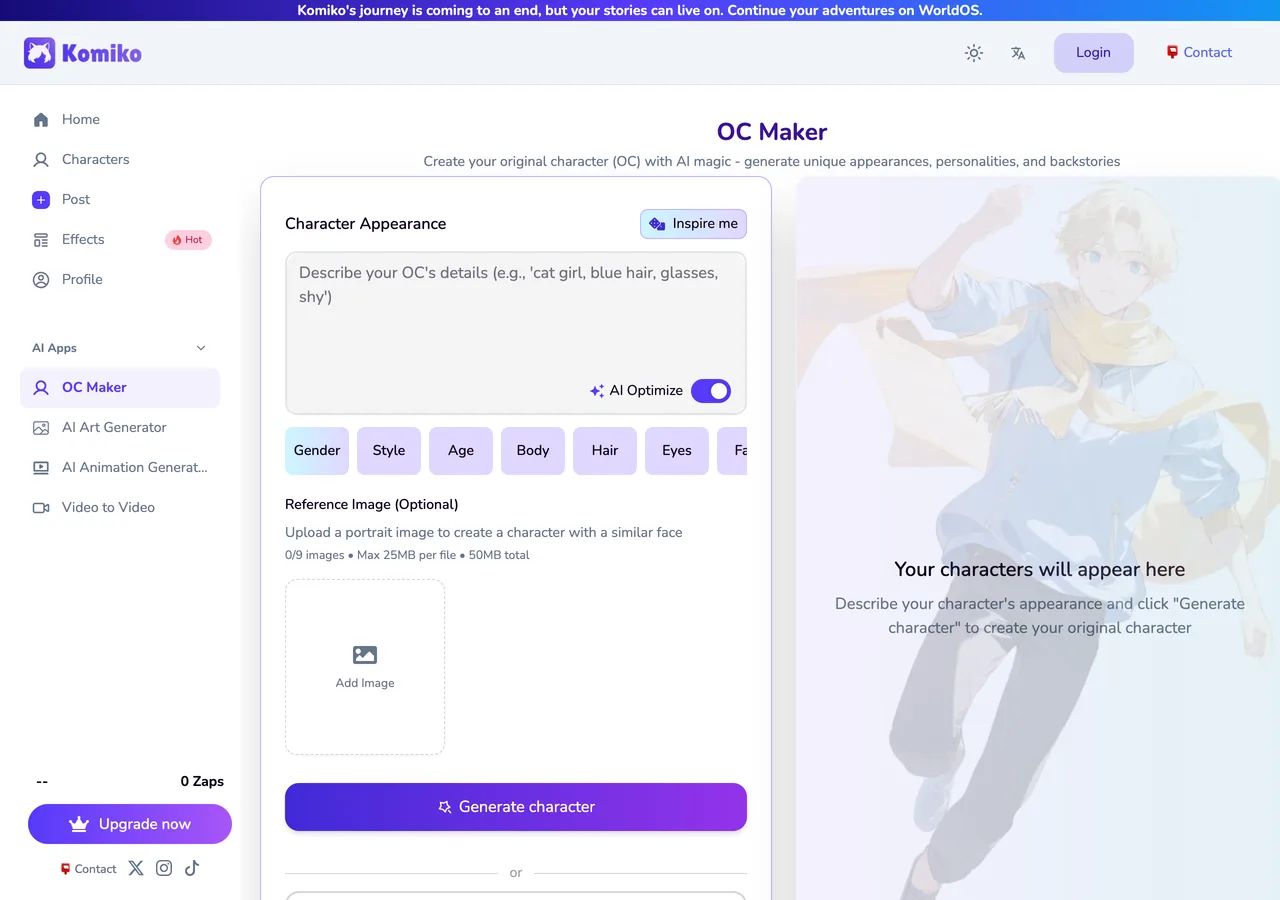
Once the design feels right, give it a name and a personality in Komiko, then bring it to WorldOS: paste the Komiko character link into Create a character and it arrives with its art and profile, ready to chat or to drop into a world.
Text and AI OC generators, including personality
When you need a name, a personality or a backstory rather than a face, a generator beats a blank page.
- Perchance: a free, no-sign-up site full of community-made generators. Search it for "OC generator" and you will find quick random rollers, AI Character Generator pages that write a full profile and draw an image, and fandom-flavored ones like OC Forge.
- OC maker wheels: spin-the-wheel pages (spinthewheel.app and similar) with lists of aesthetics, powers, flaws or drawing prompts. Great for OC challenges and art block, not for depth.
- ChatGPT, Gemini, Grok or Claude: ask for five options instead of one, and say what to avoid ("no amnesia, no tragic orphan backstory"). It drafts; you choose and edit.
A prompt that works in any AI OC generator: "Give me 5 original anime characters for a slice-of-life story in a seaside town. For each: name, age, one-line concept, dere type, a flaw that causes trouble, a secret, and how they talk. Make them contrast with each other."
For personality, an archetype is a shortcut, not an answer. A dere type (tsundere, kuudere, dandere and the rest) tells people how your OC shows affection; pair it with a want, a fear and one contradiction and it stops being a trope.
OC template (copy and paste)
A good OC template covers identity, appearance, personality, backstory, relationships, abilities and speech style. Paste it into Google Docs, Discord, Tumblr or Toyhouse, fill in what you know and leave the gaps for later. Do not skip sample lines: they are what make an OC sound like themselves in text.
Read: OC Template (copy and paste): basic, detailed and AI character card versions →
How to turn your OC into a playable character on WorldOS
A finished sheet is where most OCs stop. On WorldOS the sheet becomes a character that talks back, remembers, and can walk into a whole world with a cast around it.
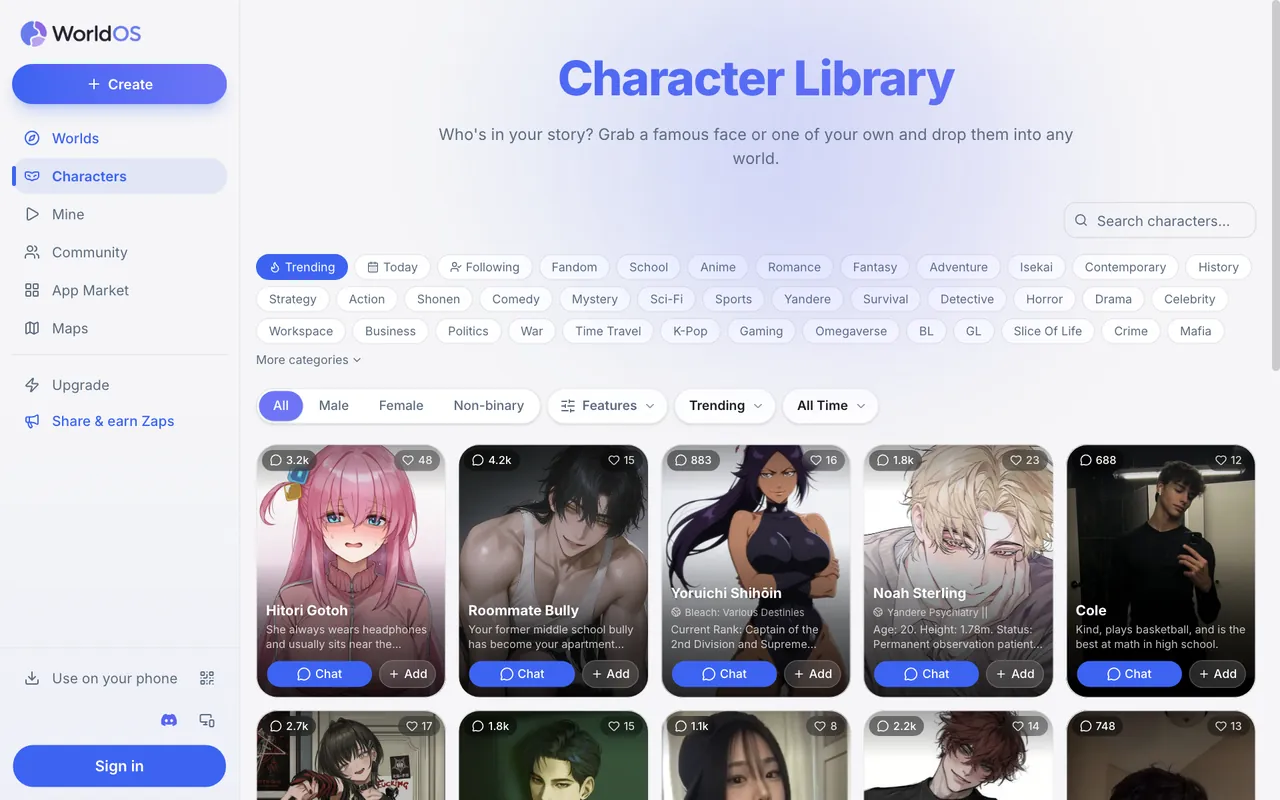
- Create the character: open Create, then Create a character. Add the name, an optional title, your Picrew or AI portrait as the avatar, and paste your template into the character prompt. Add an opening message and your sample lines as example dialogue.
- Or import one you already have: paste a Character.AI, Komiko, Perchance, Chub or PolyBuzz link, or upload a Tavern-style character card, then edit from there.
- Chat one-on-one: talk to your OC to test the voice. If it sounds off, fix the prompt and the example dialogue rather than arguing with the replies.
- Drop your OC into a world: add them to a world you create or remix, and they join the cast, show up in group chats and the social feed, and remember what happened.
- Play as your OC: many anime worlds let you choose who you play, and where they do, a Create your character card lets you bring your own name, look and background into the story.
- Keep it private or share it: a character can be private (only you can use it) or public for anyone to chat with.
It is free to try: WorldOS gives you free Zaps every 24 hours with no card, and on Android you can watch an ad for more.
Tips for OCs that feel alive
- Give them a want they chase from page one and a need they only discover later.
- Make flaws cost something. "Clumsy" is a trait; "can't admit she was wrong, so she lost her best friend" is a flaw.
- Contradictions beat adjectives: a cold, quiet kuudere who names every plant in her cactus collection.
- Write how they talk before you finish how they look. Readers and AI both copy a voice from example lines.
- Tie them to at least two other people. An OC with no relationships has nothing to react to.
- Keep one secret unrevealed. It gives every scene something underneath.
- Test them in a scene they would hate: a party for an introvert, a loss for a champion. What they do there is the character.
Which OC maker should you use?
| If you want | Use | Then |
|---|---|---|
| A quick anime face or profile picture | Picrew or Charat | Credit the maker and write the details down |
| Full-body outfits or fantasy looks | Meiker or Doll Divine makers | Pick one signature item |
| A random spark or an OC challenge | An OC maker wheel | Keep the one result you would fight for |
| A full profile from a few keywords | Perchance or an AI chatbot | Fill in the OC template |
| AI art from a description | Komiko OC Maker | Import the Komiko link into WorldOS |
| An OC that talks back and lives in a story | WorldOS | Create a character, then drop them into a world |
FAQ
What is the best free OC maker?
For looks, Picrew and Charat are the most popular free anime OC makers, and Meiker is best for full outfits. For personality and backstory, Perchance's OC generators are free with no sign-up. Use one of each and finish with a template.
Can I use Picrew OCs commercially?
Usually not. Each Picrew maker sets its own terms, and the default is personal, non-commercial use. Check the maker's page before using the art on anything you sell, and credit the artist when you post.
Is there an AI OC generator that lets me talk to my OC?
Yes. On WorldOS you can create a character from your OC sheet, or import one from Perchance, Komiko, Character.AI and others, chat with it one-on-one, and add it to any world you create or remix.
What should an OC template include?
At minimum: name, age, appearance, personality, backstory, goal, flaws, relationships and speech style. Sample lines are the field people skip and the one that makes an OC sound like themselves.
How do I make an anime OC?
Pick a look in an anime OC maker like Picrew or Charat, choose an archetype or dere type as a starting point, then add a want, a flaw and a secret that break the archetype. Write three sample lines and put the character somewhere they have to talk.
Can I play as my OC in a story?
On WorldOS, yes. Worlds that let you choose who you play show a Create your character card, where you enter your OC's name, look and background, and the rest of the cast reacts to them.
Give your OC a world
Create a character on WorldOS, chat with them, and drop them into thousands of worlds. Free every day.